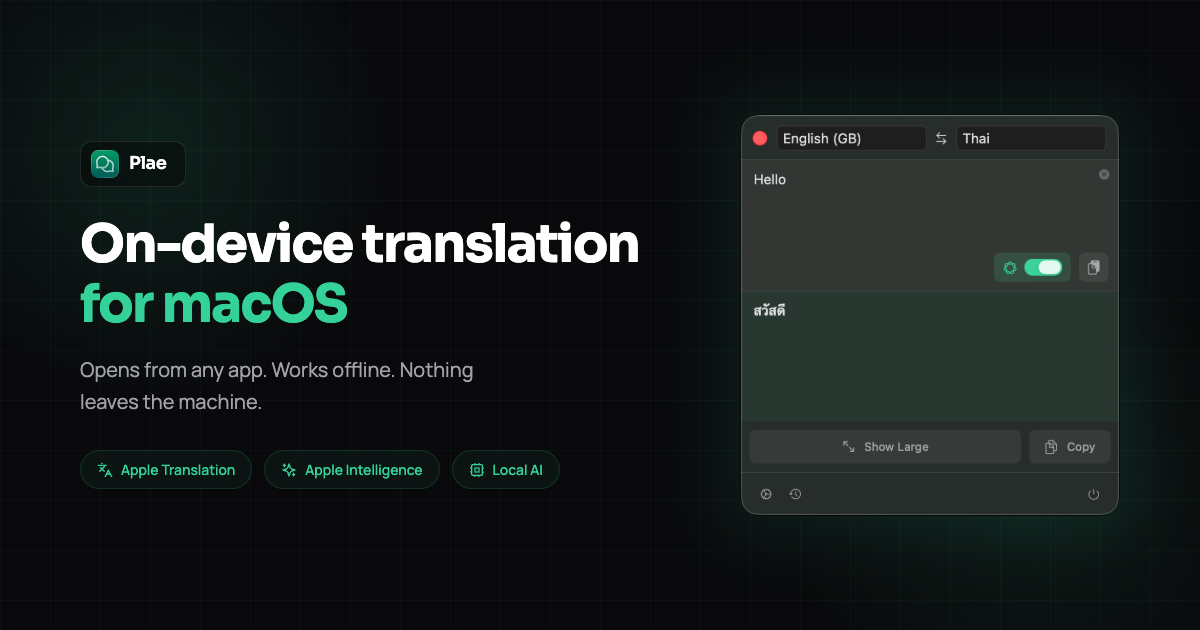
Discover Plae, a privacy-focused macOS menu bar app for on-device translation. Our 2026 review covers features, pricing, and whether this offline tool is worth it for multilingual users.
Reach our audience by sponsoring this spot. Contact us to get started.
Get a dedicated SEO review article for your product or service and start ranking for “your brand + review” in search results.
Get Your Review Article
A modern social media scheduler for creators, agencies, and teams to plan and publish content across 10 platforms from one dashboard.

An all-in-one social media management platform for creators, agencies, and teams to schedule posts, track analytics, and manage content across 10+ platforms.
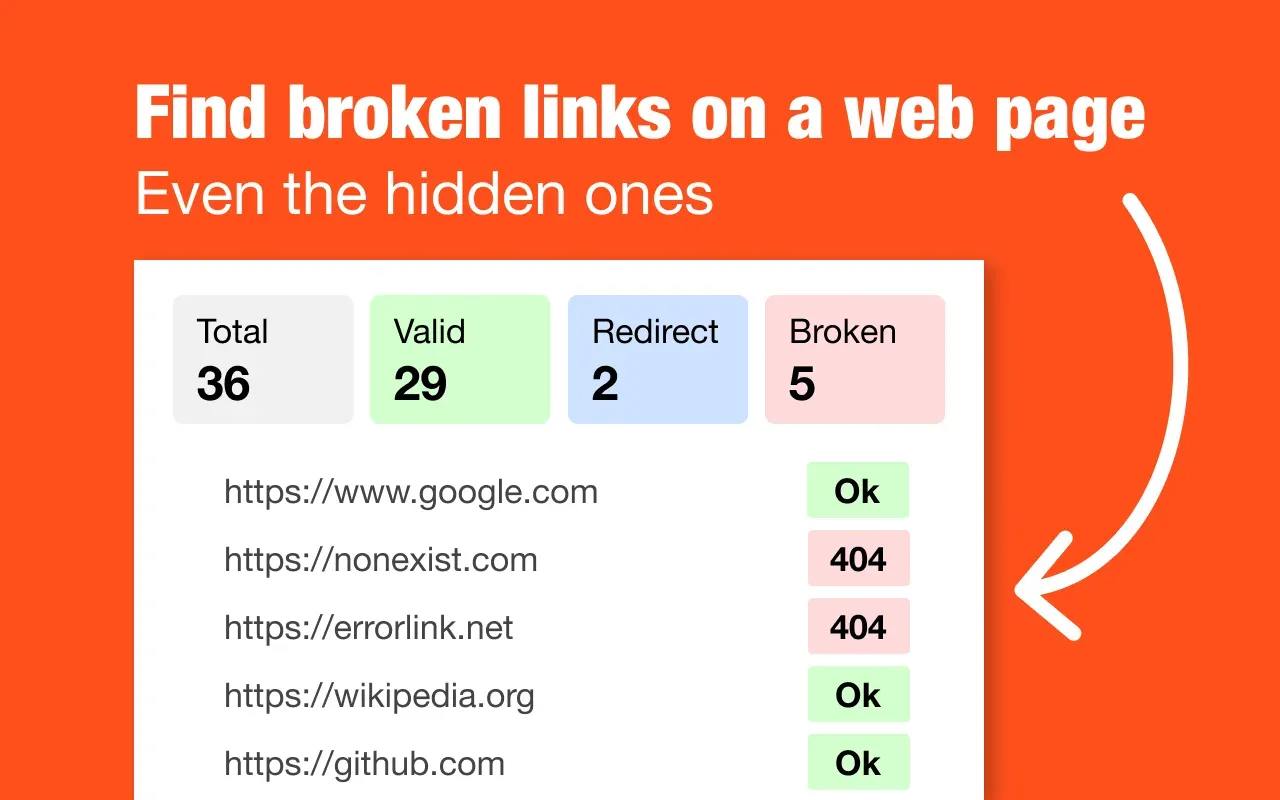
`Chrome extension that scans every link on the current page and highlights results with color codes. Green for working, red for broken, blue for redirects. Export to CSV for SEO audits. No setup, no account, no tracking. Works entirely in your browser.`
In today's interconnected world, translation tools have become essential for communication across languages. However, many solutions compromise privacy by sending data to external servers. Plae emerges as a compelling alternative—a macOS menu bar application designed for fast, private, on-device text translation. This app allows users to translate text directly from any application using a simple keyboard shortcut (Cmd+Shift+T), with all processing happening locally on the machine. No data leaves the device, making Plae a standout choice for those who prioritize security and offline functionality.
Plae solves a critical problem for users who need quick translations without relying on internet connectivity or exposing sensitive information. Whether you're working in a shared space, traveling, or handling confidential documents, Plae ensures your translations remain private. The app targets a diverse audience, including multilingual couples and families, international teams, expats, language learners, and professionals in daily workflows. Its offline capabilities make it ideal for environments like coworking areas, hospitality settings, or remote locations where internet access is limited or unreliable.
Plae packs a robust set of features that cater to both casual and power users. Here are the standout capabilities that define this translation app:
One of Plae's most impressive aspects is its support for multiple translation engines, giving users flexibility based on their needs. The app includes:
This multi-engine approach allows users to switch between options depending on the language pair or context, enhancing accuracy and versatility.
Privacy is at the core of Plae's design philosophy. The app operates with zero data collection, meaning no personal information or translated text is ever sent to external servers. After the initial setup—which may require downloading language packs—Plae works entirely offline. All translations occur on-device, safeguarding sensitive content from potential breaches or surveillance. This makes Plae an excellent choice for professionals handling confidential materials, such as legal documents, medical records, or business communications.
Plae excels in usability with an intuitive interface that minimizes friction. Key elements include:
The keyboard shortcut (Cmd+Shift+T) is a game-changer, enabling instant translations from any app without interrupting your work.
Plae adopts a straightforward pricing model that avoids the subscription fatigue common in today's software market. The app offers a 7-day free trial, allowing users to test all features before committing. After the trial, it's available for a one-time purchase of $4.99 on the Mac App Store, with no recurring fees. This approach provides excellent value, especially compared to subscription-based translation services that can cost significantly more over time.
Using Plae feels seamless and efficient, thanks to its thoughtful design. The setup process is straightforward: download from the Mac App Store, install, and optionally download language packs for offline use. Once running, the app integrates unobtrusively into the macOS ecosystem. Translating text is as simple as highlighting it in any application and pressing Cmd+Shift+T—a popup appears almost instantly with the translation. The lack of internet dependency means no lag, even in areas with poor connectivity.
The interface is clean and minimalistic, avoiding unnecessary clutter. The full-screen mode is particularly useful for reviewing longer passages, while the history feature helps build a personalized translation library. However, users should note that the offline AI model (TranslateGemma) may be slightly slower than cloud-based alternatives for complex sentences, though this is a trade-off for privacy. Overall, Plae delivers a polished experience that aligns well with macOS aesthetics and functionality.
At $4.99 for a lifetime license, Plae offers exceptional value in the translation software market. Many competing tools, such as subscription-based services or freemium apps with data collection, can cost far more over time or compromise user privacy. Plae's one-time fee makes it accessible for individuals, students, and small teams on a budget. The 7-day free trial is generous, allowing thorough evaluation without pressure.
When assessing value, consider the cost savings from avoiding subscriptions—often $5-10 per month for premium translation services. Over a year, Plae pays for itself many times over. Additionally, the privacy benefits are invaluable for users handling sensitive information, potentially avoiding costly data breaches. While the app lacks some advanced features like real-time speech translation, its core offering is robust and reasonably priced.
Plae is a standout translation tool for macOS users who prioritize privacy, offline functionality, and simplicity. Its strengths lie in the seamless integration with the operating system, the variety of translation engines, and the one-time pricing model. The app is particularly beneficial for multilingual households, expats, language learners, and professionals in fields where data confidentiality is paramount, such as healthcare, law, or finance.
However, it's not a one-size-fits-all solution. Users who need real-time speech translation, support for rare languages, or cross-platform compatibility might find limitations. But for its target audience, Plae delivers reliable performance without compromising security. The 7-day free trial makes it easy to test, and at $4.99, the risk is minimal.
In summary, if you're a macOS user seeking a fast, private, and affordable translation app that works offline, Plae is worth serious consideration in 2026. Its focus on user privacy and offline capabilities sets it apart in a crowded market, making it a valuable addition to any multilingual workflow.